WooCommerce is one of the most popular eCommerce platforms, allowing businesses to create and manage their online stores with ease. However, the default shop page design may not always align with a brand’s unique identity or sales goals. This is where WooCommerce shop page builders come in, providing users with customization options, improved user experience, and additional functionality without requiring coding skills.
While premium builders offer extensive features, many free options provide powerful design tools, making them ideal for startups and businesses on a budget. From drag-and-drop editors to Gutenberg-based solutions, these tools offer flexibility and creative control to craft a professional storefront.
In this blog, we’ll explore 10 free WooCommerce shop page builders that can help you transform your online store with ease. Whether you’re a beginner or an experienced seller, selecting the right tool can improve engagement, drive sales, and strengthen brand identity.
What Makes a Great WooCommerce Shop Page Builder?
A well-designed shop page is crucial for any WooCommerce store, as it directly impacts user experience, navigation, and sales performance. Choosing the right shop page builder requires understanding key features that contribute to a functional and visually appealing storefront.
Key Features to Look For:
- Drag-and-Drop Interface: Simplifies customization, allowing users to design pages without coding.
- WooCommerce Compatibility: Ensures smooth integration with product listings, checkout pages, and store functionalities.
- Mobile Responsiveness: Guarantees an optimal shopping experience across different devices.
- Pre-Built Templates: Provides ready-to-use designs for faster setup.
- Customization Options: Allows modifications to layouts, colors, fonts, and product displays.
- Performance Optimization: Helps maintain fast loading speeds and smooth navigation.
Understanding these features helps store owners make informed decisions, ensuring they select the right tool to improve customer engagement and store management.
10 Free WooCommerce Shop Page Builders
StoreBuild
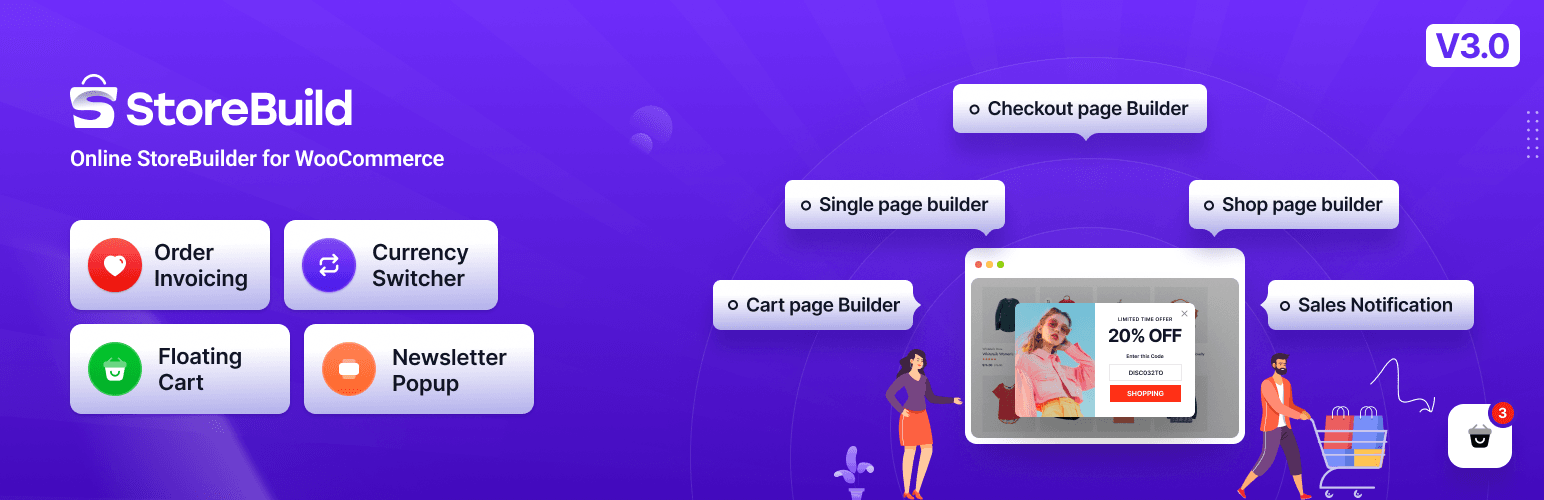
StoreBuild is a WooCommerce builder designed for Elementor users, providing an intuitive way to build eCommerce sites without coding. With over 79+ Elementor widgets, users can create essential store pages like product details, cart, checkout, and more. The plugin includes pre-made templates, making store setup quick and simple.
Feature:
- Includes 79+ Elementor widgets. Features a quick view, wishlist, product comparison, and deal notifications.
- Enables drag-and-drop editing for checkout, cart, single product, shop, and more.
- Uses pictures and colour swatches to replace the default WooCommerce dropdowns.
- Increases conversions through attractive product displays.
- Makes use of Nice Select, Alpine JS, and Choice JS to provide a smooth admin experience.
Pros
- Offers 50+ ready-to-use templates for faster site creation.
- Allows users to create store pages visually without coding.
- Provides product comparisons, wishlists, and flash sale countdowns.
- Let users preview changes instantly while building their store.
Cons
- Some features may take time to understand, especially for beginners.
- Certain third-party plugins might not work perfectly with StoreBuild.
- Requires Elementor, so users of other page builders may not find it suitable.
Elementor
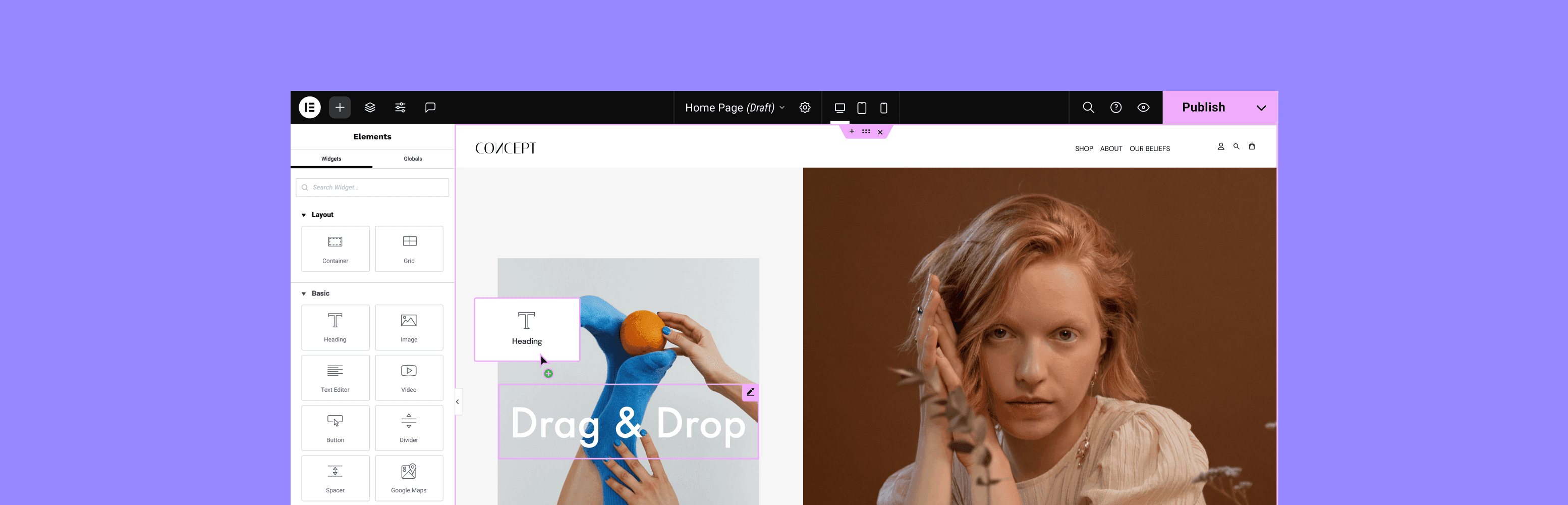
Elementor is a widely used page builder that provides WooCommerce integration, enabling users to create store pages visually. The platform offers WooCommerce widgets that support product displays, cart functionality, and checkout pages, ensuring a streamlined shopping experience. Additionally, users can take advantage of Elementor’s customizable templates, which provide ready-made designs for quicker store setup.
Feature:
- Connects with WooCommerce, enabling users to create and manage store pages visually.
- Offers a variety of ready-made designs, allowing for quick store setup while maintaining a professional look.
- Supports essential eCommerce functionalities such as product displays, cart functionality, and checkout pages for a smooth shopping experience.
- Ensures shopfronts remain responsive and optimized across various devices for improved user accessibility.
- Provides an easy-to-use platform, making it accessible for users without advanced technical skills.
Pros:
- Easy-to-use interface suitable for beginners
- Extensive template library for quick designs
- Flexible customization for store pages
Cons
- Some features require the pro version
- Limited advanced design options compared to premium builders
Ultimate Store Kit
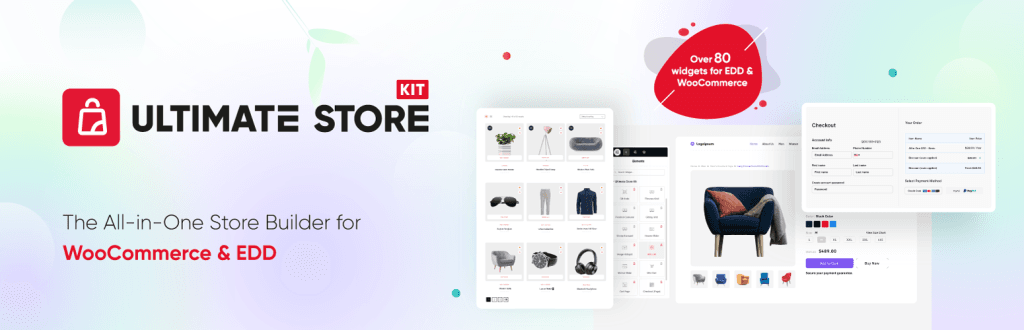
A WooCommerce addon called Ultimate Store Kit offers more widgets for product pages. Breadcrumbs, the quantity fields, sale badges, and variant switchers are some of its features. Designed specifically for Elementor, it facilitates more flexible product layout sculpting. An effective technique for personalizing e-commerce sites.
Feature:
- Includes pricing tables, carousels, sliders, accordions, product grids, review grids, and more.
- Create eye-catching physical and digital product shopfronts.
- Completely personalize every WordPress store page, including the cart, checkout, product, shop, and account pages.
- Optimize the experience of choosing products and navigating.
- Assist clients in finding discounts and investigating their choices.
- allows for greater layout freedom on product pages.
- Product details can be effectively adjusted with specialized widgets.
Pros:
- A free version of Ultimate Store Kit with necessary widgets is available.
- More opportunities for WooCommerce users to customise
- The purchasing experience is improved by quantity fields, variation switchers, and sale badges.
- Customers may easily trace their whereabouts throughout the store with the use of breadcrumbs.
Cons
- A premium upgrade is necessary for certain advanced widgets and features.
- Elementor is ideal, if it might not be to everyone’s taste.
ShopEngine
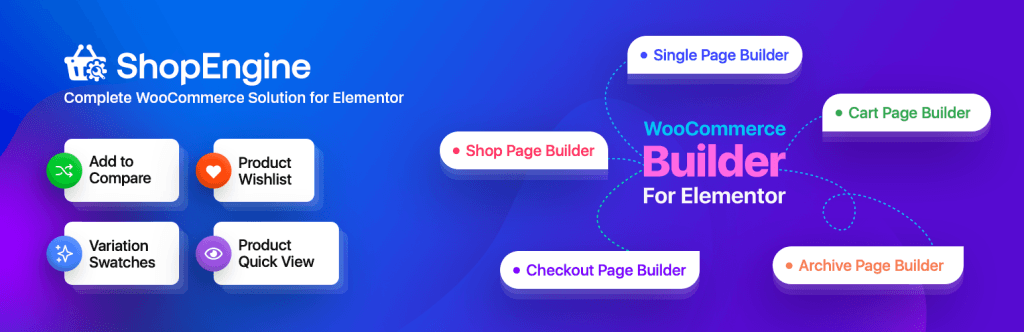
ShopEngine is an Elementor and Gutenberg-compatible WooCommerce builder. Drag-and-drop customization is available for the account, checkout, cart, and product pages. It improves store design without requiring additional coding due to its more than 50 widgets and other modules.
Feature:
- Customize WordPress’s shop, product, cart, checkout, and account pages.
- Includes pricing tables, carousels, sliders, accordions, product grids, and review grids.
- Include variation swatches, wishlists, fast views, and product comparisons
- Offers product stores that are both digital and physical.
- Works with Gutenberg and Elementor to make store design simple.
- WooCommerce page layouts that have already been created
Pros:
- Support for Gutenberg and Elementor, compatibility with both builders, and design flexibility for users.
- Improves conversions by permitting changes to the checkout process.
- Saves setup time by providing pre-made store page templates.
- Decreases lag and improves site speed by loading items effectively.
Cons:
- Certain functionalities may not be compatible with all themes or plugins.
- Additional plugins may be needed for more complex customizations.
Elementor Pack
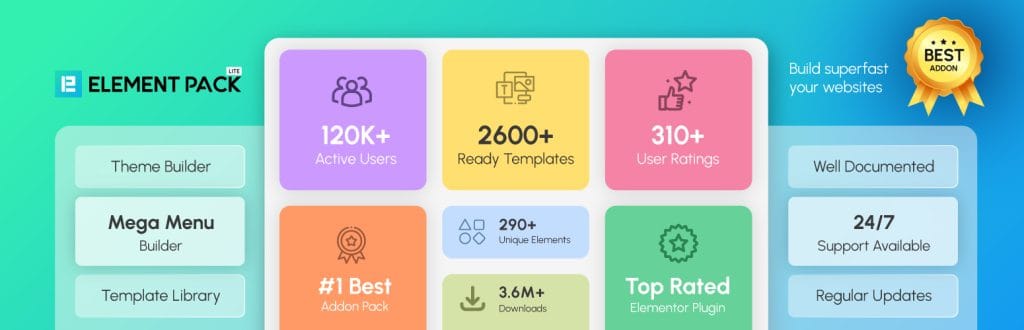
With more than 2700 pre-made templates and 300 widgets, Element Pack is a strong Elementor extension that increases creative options. Mega Menu Builder, Live Copy-Paste, and WooCommerce product grids and sliders are some of its features.
Feature:
- Includes checkout tools, sliders, and product grids.
- Provides a large number of design elements to Elementor.
- Uses prebuilt layouts to expedite the construction of websites.
- Assists in the creation of sophisticated navigational structures.
- Offers instantaneous design duplication between pages.
Pros:
- Provides more than 85 Elementor widgets, including WooCommerce components.
- Allows complete site header and footer customisation.
- Helps in creating organised menus for navigation.
- Uses pre-made layouts to expedite the construction of websites.
- Guarantees consistent performance across all devices.
Cons:
- After installation, some users complain about incompatibilities.
- Premium plans could cost more than those of other companies.
ElementsKit

For the Elementor page builder, ElementsKit is a unique addon. However, WooCommerce is compatible with it! Product pages, checkout areas, and other shop components can be customized with the help of WooCommerce-specific widgets. This makes it a helpful Elementor add-on for improving WooCommerce design.
Features:
- Features advanced WooCommerce components for checkout, carts, and product pages.
- Provides options such as sticky menus, huge menus, and a header and footer builder.
- Prebuilt layouts for easy customization of the design.
- Supports product comparison, variation swatches, wishlists, and quick views.
- Guarantees smooth operation on all devices.
Pros:
- WooCommerce pages that can be customized; use Elementor to change product pages, carts, and checkout designs.
- Create organized navigation with a mega menu and header/footer builder to improve user experience.
- Use ready-made layouts, prebuilt templates, and sections to expedite store design.
- Wishlists, quick views, variant swatches, and product comparisons are examples of WooCommerce widgets.
Cons:
- It could take some time for beginners to understand more complex features.
- Some WooCommerce addons from third parties might not interact properly.
JetWooBuilder
A WooCommerce plugin for Elementor called JetWooBuilder enables users to create unique product pages, shop layouts, and checkout sections. For improved store management, it comes with premade themes, product grids, dynamic filters, and modifiable widgets.
Features:
- Create original designs for shop, cart, checkout, and account pages with custom WooCommerce templates.
- Showcase WooCommerce items in different configurations.
- Make it simple for users to narrow down their product searches.
- Display product categories with interactive features using the Taxonomy Tiles & Category Grid.
- With Quick View & Add to Cart, take immediate action to improve your purchasing experience.
Pros:
- Allow people to create original WooCommerce layouts without knowing any code.
- Improves the simplicity of product discovery and navigation.
- Enables total customization in accordance with corporate branding.
- Uses drag-and-drop editing and prebuilt templates to save time.
- helps display filters and real-time product updates.
Cons:
- Page loading times may be affected by excessive widget use.
- The premium version is necessary for certain critical features.
PowerPack For Elementor

A bundle of more than 70 strong widgets and extensions, PowerPack for Elementor is designed to improve the Elementor page builder. It provides advanced customization choices, such as original WooCommerce widgets, dynamic content, and creative design elements.
Features:
- Create original designs for shop, cart, checkout, and account pages with custom WooCommerce templates.
- Showcase WooCommerce items in different configurations.
- Make it simple for users to narrow down their product searches.
- Display product categories with interactive features using the Taxonomy Tiles & Category Grid.
- With Quick View & Add to Cart, take immediate action to enhance your purchasing experience.
Pros:
- Elementor’s functionality can be improved by an extensive list of widgets.
- Search visibility is increased by SEO-friendly modules.
- Optimal site performance is ensured by lightweight design.
- Features that are translation-ready and responsive to mobile devices.
- Consistent updates and committed customer service.
Cons:
- Only the Pro version has access to some of the more advanced widgets and features.
- Certain widgets might not be compatible with every third-party Elementor extension.
ShopLentor
Customers can easily customize their online store with ShopLentor (previously WooLentor), a WooCommerce builder plugin made for Elementor. It offers a variety of templates and widgets to improve product pages, checkout processes, and store design in general.
Features:
- Widgets: more than 125 Elementor WooCommerce Widgets / WooCommerce Elementor Widgets.
- There are 26 WooCommerce modules.
- Blocks of Gutenberg: 62 Gutenberg Blocks for WordPress and WooCommerce.
- Custom WooCommerce Product Template Builder that Personalized Product Template Builder.
Pros:
- An extensive selection of WooCommerce layouts and widgets.
- Supports product detail pages and bespoke shops.
- Extra modules that improve the user experience.
- WooCommerce Gutenberg blocks that are available.
- Essential functions are included in the free edition.
Cons:
- For more extensive customizations, the pro version is necessary.
- Performance on big websites may be impacted.
Dokan

Dokan is a powerful WordPress plugin for multivendor marketplaces that is based on WooCommerce. You can make your own e-commerce marketplace for non-technical individuals with its help.
Features:
- Manages marketplace functions with a complete integration with WooCommerce.
- From their dashboard, vendors oversee orders and merchandise.
- Every vendor owns a separate store with personalized branding possibilities.
- Vendor sales generate commissions for marketplace owners.
- Facilitate transactions using a variety of payment options.
Pros:
- Build a multivendor marketplace fast and without any technical hassles.
- Stores can be created and run by anyone without any programming experience.
- A unique dashboard is provided to each seller for order and product management.
- Supports a variety of product kinds, including digital, physical, and variable.
Cons:
- The premium edition is the only way to access certain advanced features.
- Basic customization choices with fewer design controls are available in the Free version.
How to Choose the Right Shop Page Builder for Your Store
Selecting the right WooCommerce shop page builder depends on various factors, including ease of use, design flexibility, and compatibility with your store’s needs. Each builder offers distinct advantages, so understanding what fits your business best can improve your store’s performance and customer experience.
Factors to Consider When Choosing a Shop Page Builder
- Ease of Use: If you’re a beginner, opt for a drag-and-drop builder like Elementor or StoreBuild that simplifies customization. Developers may prefer Oxygen Lite for advanced design control.
- Design Flexibility: Some builders provide extensive styling options, while others focus on predefined templates. If you want full customization, consider Divi Builder Lite or SiteOrigin Page Builder.
- Performance and Speed: A fast-loading store is crucial for user experience. Choose builders optimized for performance, such as Kadence Blocks or Oxygen Lite.
- Plugin Compatibility: Ensure the builder works well with your existing WooCommerce plugins and themes to prevent conflicts. Builders like Elementor and Themify Builder integrate smoothly with most plugins.
- Purpose and Store Type: If you need basic customization, StoreBuild is a great choice. For more advanced layouts with interactive features, Visual Composer Free Edition offers powerful tools.
Installation & Setup Guide
Setting up a WooCommerce shop page builder is a straightforward process, but ensuring a smooth installation requires following the right steps. Below is a guide to installing and configuring a free WooCommerce shop page builder to optimize your store’s design.
Step 1: Install the Page Builder Plugin
1. Log in to your WordPress dashboard.
2. Navigate to Plugins > Add New.
3. Use the search bar to find your chosen page builder (e.g., StoreBuild, Elementor, Divi Builder Lite, or SiteOrigin Page Builder).
4. Click Install Now and wait for the installation to complete.
5. Once installed, click Activate to enable the plugin.
Step 2: Enable WooCommerce Integration
1. If WooCommerce is not installed, go to Plugins > Add New and install WooCommerce.
2. Ensure the page builder supports WooCommerce by checking its documentation or settings.
3. Some page builders might require additional WooCommerce-specific add-ons—install them if needed.
Step 3: Choose a Shop Page Template
1. Open the page builder interface from the WordPress dashboard.
2. Navigate to WooCommerce Shop Page settings.
3. Browse available templates or create a new page layout from scratch.
4. Select a template that matches your brand style and customize it using the builder’s drag-and-drop tools.
Step 4: Customize Your Storefront
1. Adjust product display sections, cart pages, and checkout layouts.
2. Modify colors, fonts, and buttons to align with your store’s branding.
3. Add interactive features like product filters, wishlists, and sale badges for a better shopping experience.
4. Save your changes and preview the shop page before publishing.
Step 5: Test Your WooCommerce Shop Page
1. Open your store on different devices to ensure responsiveness.
2. Verify that product listings, pricing, and checkout processes work correctly.
3. Optimize loading speed by minimizing unnecessary plugins or large images.
Final Insights
Customizing your WooCommerce shop page is essential for creating a visually appealing and user-friendly online store. Free shop page builders provide powerful design options without requiring coding expertise, making them ideal for entrepreneurs and small businesses. Whether you prefer drag-and-drop editors or Gutenberg-based solutions, there are plenty of options to suit different needs.
By selecting the right builder, optimizing your layout, and enhancing user experience, you can improve conversions and strengthen your brand’s presence. Start experimenting with these tools today and build a shop page that aligns with your vision.
Frequently Asked Questions (FAQs) on Free WooCommerce Shop Page Builders
1. Where can I download 10 free WooCommerce shop page builders?
You can find free WooCommerce shop page builders in the WordPress plugin repository or on official developer websites. Popular options include StoreBuild, Elementor, Divi Builder Lite, and SiteOrigin Page Builder.
2. What is the best free WordPress page builder for WooCommerce?
Storebuild, Elementor, Beaver Builder Lite, and Kadence Blocks are some of the best free WordPress page builders that offer WooCommerce integration and easy customization.
3. Can I use free WooCommerce themes with Elementor?
Yes, many free WooCommerce themes are compatible with Elementor, allowing you to design shop pages visually with its drag-and-drop builder. Some good options include Astra, OceanWP, and Storefront.
4. What are the top WordPress page builder plugins available for free?
Some top free WordPress page builder plugins include Elementor, StoreBuild, Themify Builder, and SiteOrigin Page Builder.
5. Is there a list of WordPress page builders that work well with WooCommerce?
Yes! Popular WordPress page builders that work well with WooCommerce include StoreBuild, Elementor, Divi Builder Lite, Beaver Builder Lite, SiteOrigin Page Builder, and Kadence Blocks.
6. How can I find the best free WooCommerce themes?
You can explore free WooCommerce themes in the WordPress theme directory. Some popular choices include Astra, OceanWP, and Neve, all optimized for eCommerce.
7. What are the differences between free WooCommerce themes and premium ones?
Free WooCommerce themes provide basic customization, while premium themes offer advanced design controls, additional features, and dedicated support.
8. Are free WooCommerce themes reliable for online stores?
Yes, many free WooCommerce themes are optimized for performance, SEO, and mobile responsiveness, making them reliable for professional online stores.
9. Where can I find WooCommerce templates for free?
Free WooCommerce templates can be found in theme marketplaces, the WordPress repository, and plugin libraries that offer shop page designs.
10. Can I download free WooCommerce themes with product templates?
Yes, themes like Astra, Shopfront, and OceanWP provide built-in WooCommerce product templates, helping you set up your store quickly.