WooCommerce License Manager, Payments & Subscriptions
Selling digital products sounds simple until you start dealing with subscriptions, taxes, failed payments, software licensing, chargebacks, and customer renewals across different countries.
That’s where most WooCommerce stores hit friction.
You might start with a basic payment gateway. Then you add a subscription plugin. Later, you bolt on a licensing system. Eventually, your workflow turns into five dashboards, disconnected reports, and a support inbox full of billing questions.
PaddlePay WooCommerce License Manager fixes that problem by bringing Paddle directly into WooCommerce.
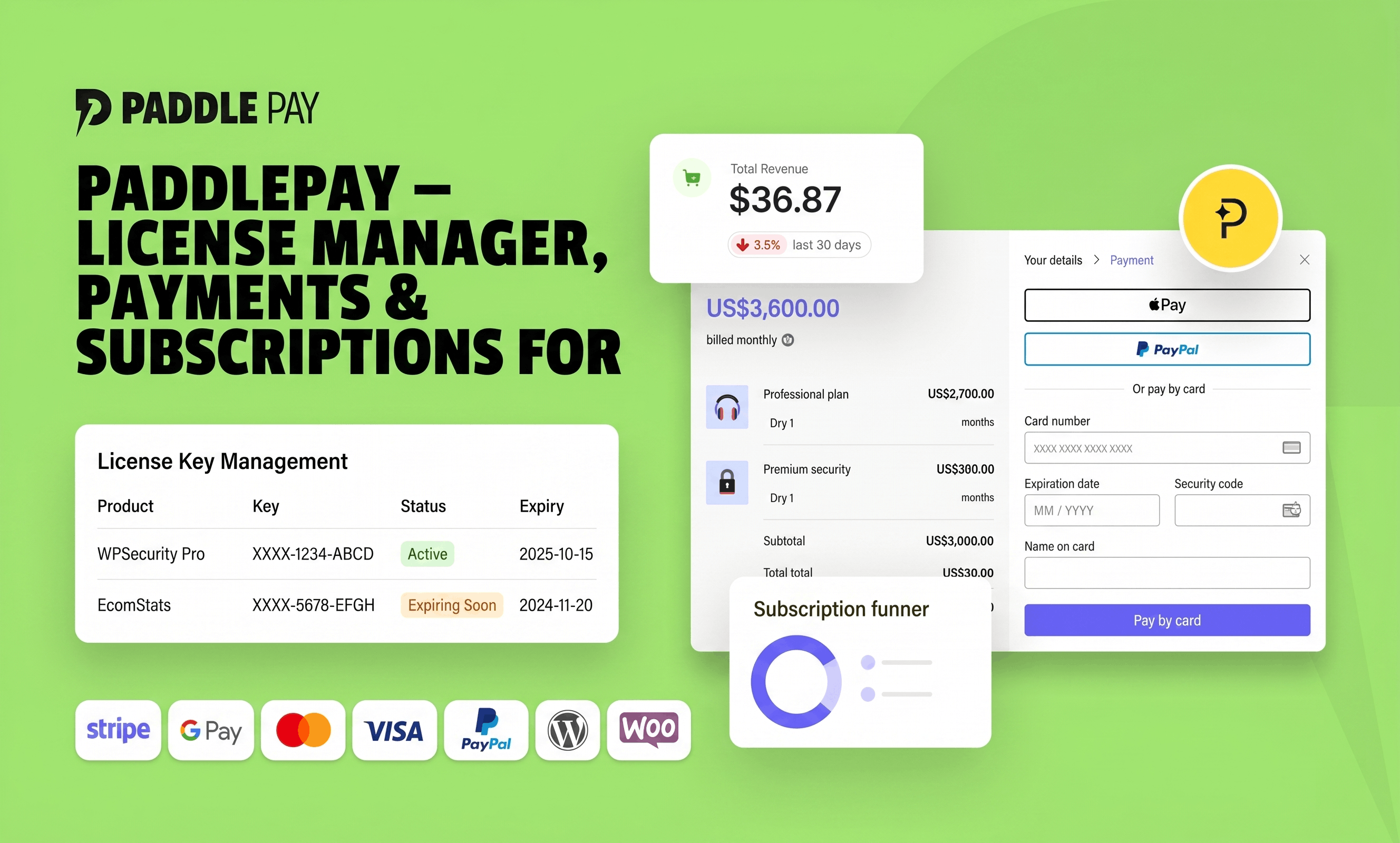
Instead of stitching together multiple tools, PaddlePay creates a central operating system for digital commerce inside WordPress. Payments, subscriptions, license management, analytics, refunds, taxes, invoices, and customer data stay connected in one place.
If you sell SaaS products, WordPress plugins, desktop software, themes, courses, memberships, or digital downloads, this setup can save hours every week while reducing compliance headaches.
What Is PaddlePay?
PaddlePay is a WooCommerce integration plugin that connects your WordPress store with Paddle for:
- Global payments
- Subscription billing
- Software licensing
- VAT and tax handling
- Refund syncing
- Analytics reporting
- Fraud protection
- Checkout optimization
The plugin works as a bridge between WooCommerce and Paddle’s Merchant of Record infrastructure.
That distinction matters.
Unlike traditional payment processors, Paddle acts as the seller of record for transactions. That means Paddle handles:
- VAT collection
- Regional tax compliance
- Invoice generation
- Fraud prevention
- Currency conversion
- Payment regulations
For software businesses selling internationally, this removes a massive operational burden.
Instead of worrying about EU VAT rules or invoicing laws in multiple countries, you can focus on growing the product itself.
Why Digital Product Businesses Need Something Like PaddlePay ?
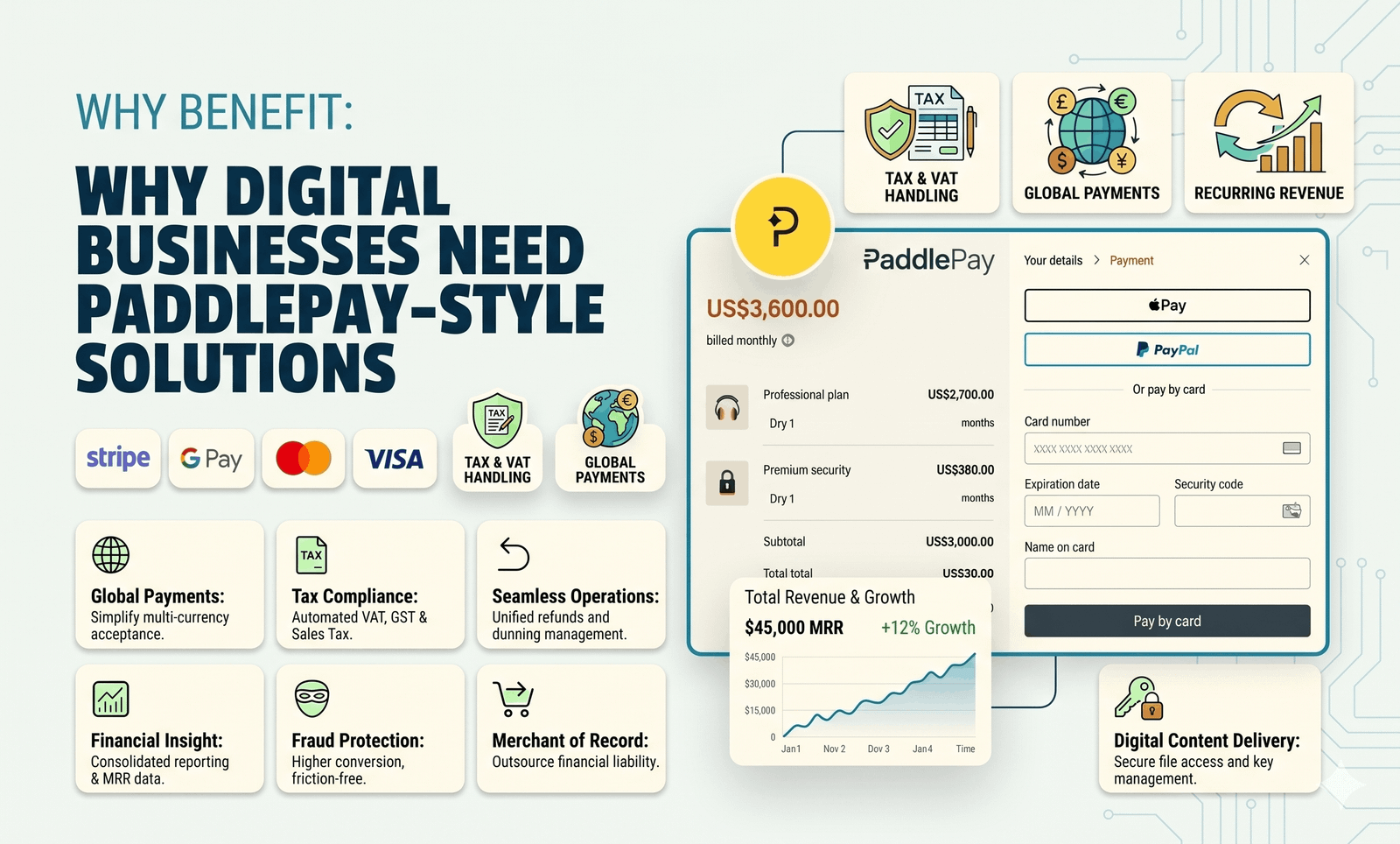
A physical product store and a SaaS business operate very differently.
Digital product sellers often need:
- Recurring billing
- License activation
- Subscription upgrades
- Trial periods
- Usage limits
- Global tax compliance
- Failed payment recovery
- Customer account management
Most WooCommerce payment plugins only solve one piece of that stack.
PaddlePay WooCommerce License Manager combines them into one workflow.
Here’s a real-world example:
A WordPress plugin developer selling yearly licenses usually needs:
- WooCommerce
- Subscription management
- License key software
- Tax handling
- Payment gateway
- Analytics tracking
- Refund management
That stack can become expensive and difficult to maintain.
PaddlePay WooCommerce License Manager consolidates much of it under one system.
Key Features That Stand Out
Paddle Payment Gateway Integration
PaddlePay WooCommerce License Manager allows your WooCommerce store to accept global payments through:
- Credit cards
- PayPal
- Apple Pay
- Regional payment methods
Customers get a modern checkout experience powered by Paddle.
Meanwhile, the store owner gets:
- VAT handling
- Fraud protection
- SCA compliance
- Multi-currency support
- Automated invoicing
That’s a major advantage for stores selling internationally.
Many WooCommerce sellers underestimate how quickly tax compliance becomes complicated once customers start buying from Europe, the UK, Australia, or Canada.
Paddle removes most of that friction.
Subscription & Recurring Billing

Recurring billing is often where Woocommerce license manager setups become messy.
PaddlePay WooCommerce License Manager adds native support for subscription workflows, including:
- Monthly billing
- Yearly plans
- Custom intervals
- Free trials
- Upgrades
- Downgrades
- Renewals
- Cancellations
Everything syncs between WooCommerce and Paddle automatically.
For SaaS businesses, this matters because subscription retention is tied directly to revenue stability.
A failed renewal process can quietly destroy monthly recurring revenue.
PaddlePay WooCommerce License Manager helps centralize subscription management while keeping reporting visible inside WordPress.
Built-In License Manager
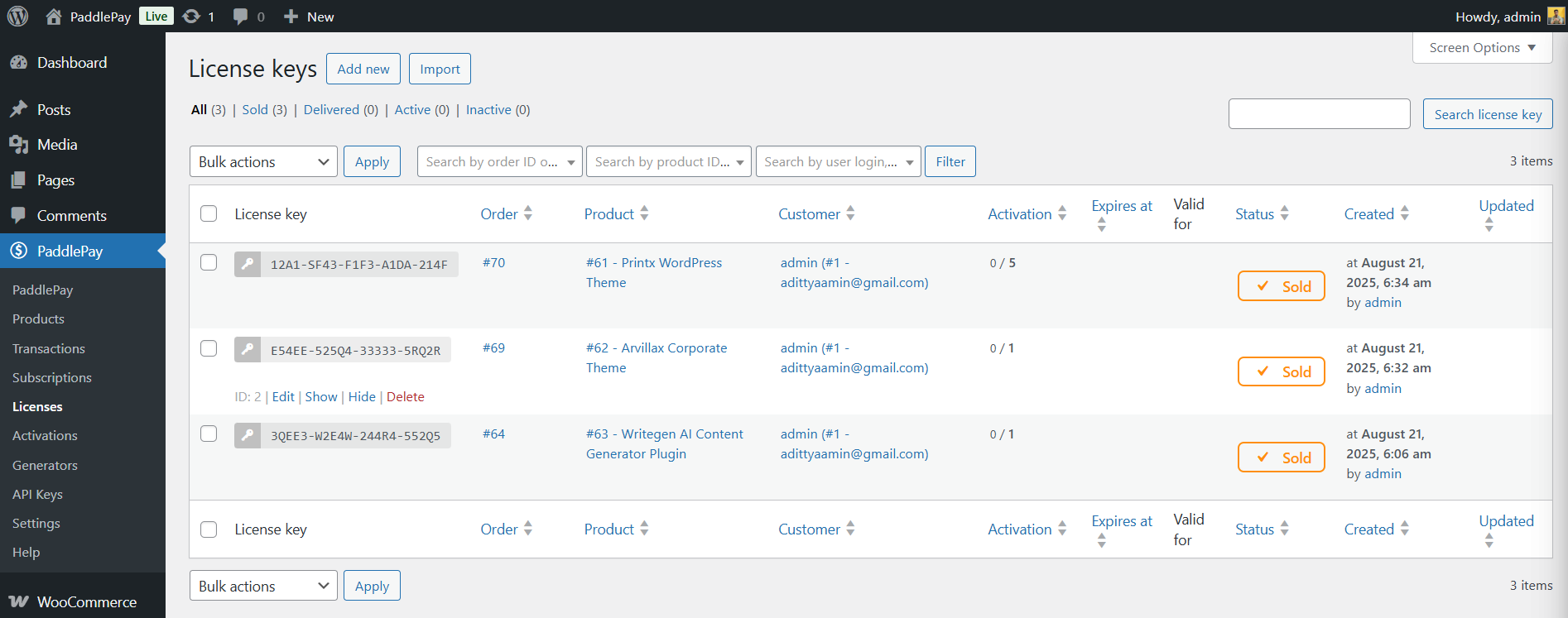
This is one of the strongest parts of PaddlePay WooCommerce License Manager.
Instead of relying on a separate licensing system, PaddlePay includes native license management for digital products.
You can:
- Generate license keys automatically
- Set activation limits
- Track active devices/sites
- Expire licenses
- Revoke licenses
- Validate keys via REST API
That makes it useful for:
- Desktop applications
- WordPress themes
- WordPress plugins
- SaaS products
- Mobile apps
A plugin developer selling premium themes, for example, can automatically issue a license key after purchase and validate it directly from their software.
No extra licensing platform required.
How PaddlePay Simplifies Global Tax Compliance
One overlooked issue with digital sales is international tax law.
Selling a downloadable product to a customer in Germany is not the same as selling to someone in the US or Bangladesh.
Countries have different rules around:
- VAT
- GST
- Digital service taxes
- Invoice formatting
- Record keeping
Handling this manually can become a nightmare.
PaddlePay WooCommerce License Manager benefits from Paddle’s Merchant of Record system, which handles:
- VAT collection
- Tax calculations
- Regional compliance
- Customer invoices
That means store owners spend less time dealing with accounting complexity.
For solo founders and small SaaS teams, that can remove a huge operational bottleneck.
WooCommerce Integration That Actually Feels Native
Some third-party integrations feel disconnected from WooCommerce.
PaddlePay WooCommerce License Manager avoids that problem by integrating directly into the product workflow.
Inside WooCommerce products, you can:
- Enable Paddle
- Map Paddle prices
- Configure plans
- Manage subscriptions
- Attach licensing rules
It supports:
- Block Checkout
- Classic Checkout
- Gutenberg
- Traditional WooCommerce layouts
The plugin also enriches order metadata with Paddle transaction details, which makes support and troubleshooting much easier.
Analytics Inside WordPress
Most digital sellers end up checking analytics across multiple dashboards.
PaddlePay WooCommerce License Manager brings reporting into WordPress itself.
You can track:
- Total revenue
- MRR (Monthly Recurring Revenue)
- Active subscriptions
- Refund trends
- Churn rate
- Top customers
- Top-performing products
- License usage
That centralization matters more than people think.
When analytics live inside your operational dashboard, decisions happen faster.
You don’t waste time bouncing between Woocommerce license manager , Paddle, Stripe, spreadsheets, and subscription tools.
Real-Time Sync & Refund Handling
Refund management is another area where many stores struggle.
PaddlePay syncs:
- Transactions
- Refunds
- Customer updates
- Subscription changes
This creates a single source of truth between Woocommerce license manager and Paddle.
Support teams can see payment history directly inside WordPress instead of checking external systems manually.
For growing SaaS businesses, this improves operational efficiency quickly.
Developer-Friendly Features
PaddlePay WooCommerce License Manager is not just built for non-technical users.
Developers also get:
- Hooks and filters
- REST API endpoints
- Structured transaction models
- Secure token storage
- License validation endpoints
This makes custom integrations possible without hacking together unstable workarounds.
A SaaS company could, for example:
- Validate licenses inside a desktop app
- Restrict premium API access
- Trigger onboarding automations
- Sync external CRM systems
All through PaddlePay’s infrastructure.
Step-by-Step: How to Start Using PaddlePay
Step 1: Install the Plugin
Install PaddlePay WooCommerce License Manager on your WordPress site running WooCommerce.
Activate it like any standard WooCommerce license manager extension.
Step 2: Connect Your Paddle Account
Add your:
- Paddle API Key
- Authentication Token
The plugin verifies the connection automatically.
Step 3: Configure Products
Inside WooCommerce products:
- Enable PaddlePay
- Map a Paddle Price or Plan
- Configure billing type
- Attach licensing options if needed
This works for both:
- One-time products
- Recurring subscriptions
Step 4: Configure Licensing
If you sell software or plugins:
- Enable license generation
- Set activation limits
- Define expiry rules
- Configure API validation
Licenses are automatically generated after purchase.
Step 5: Launch Your Checkout
Once published, customers can purchase through Paddle Checkout using:
- Credit cards
- Apple Pay
- PayPal
- Local payment methods
Paddle handles the compliance side automatically.
Best Use Cases for PaddlePay
SaaS Businesses
SaaS companies benefit the most because they need:
- Recurring billing
- Trial support
- Churn tracking
- Subscription management
- Global payments
PaddlePay centralizes all of it.
WordPress Plugin & Theme Developers
Plugin creators often struggle with licensing systems.
PaddlePay simplifies:
- License generation
- Activations
- Renewals
- Expirations
- Software updates
That reduces dependency on multiple WordPress licensing plugins.
Desktop Software Vendors
Desktop applications need secure license validation.
The built-in REST API allows software to:
- Activate licenses
- Validate subscriptions
- Deactivate devices
- Check expiry status
Course & Membership Sites
Educational platforms can use PaddlePay for:
- Subscription memberships
- One-time courses
- Recurring learning plans
- Member billing
PaddlePay vs Traditional WooCommerce Payment Setups
| Feature | Traditional Setup | PaddlePay |
| Payment Gateway | Separate plugin | Included |
| VAT Handling | Manual/extra tools | Managed by Paddle |
| Licensing | Third-party plugin | Built-in |
| Subscription Billing | Multiple add-ons | Integrated |
| Analytics | Multiple dashboards | Inside WordPress |
| Refund Syncing | Limited | Real-time |
| Fraud Protection | Varies | Included |
| Invoice Compliance | Manual | Automated |
For digital-first businesses, the operational simplicity is the biggest advantage.
Pros and Cons of PaddlePay
Pros
- Centralized WooCommerce + Paddle workflow
- Built-in software licensing
- Strong subscription support
- Global VAT compliance
- Multiple payment methods
- Useful analytics dashboard
- Developer-friendly APIs
- Good fit for SaaS businesses
Cons
- Best suited for digital products, not physical stores
- Requires a Paddle seller account
- Advanced workflows may still need developer customization
- Businesses deeply tied to Stripe ecosystems may need migration planning
What Makes PaddlePay Different?
Many WooCommerce payment plugins focus only on transactions.
PaddlePay focuses on digital commerce operations.
That’s a big difference.
It combines:
- Payments
- Licensing
- Subscriptions
- Analytics
- Tax handling
- Refund tracking
Into one connected system.
For software companies, that can dramatically reduce plugin sprawl inside WordPress.
And fewer disconnected plugins usually means:
- Better stability
- Easier maintenance
- Fewer integration conflicts
- Cleaner reporting
Security and Compliance
PaddlePay Woocommerce license manager benefits from Paddle’s infrastructure for:
- SCA compliance
- Fraud detection
- Chargeback protection
- Secure payment processing
The plugin also uses secure token storage and webhook handling to reduce risks associated with payment integrations.
For businesses handling recurring subscriptions globally, that level of infrastructure matters.
Compatibility & Requirements
PaddlePay Woocommerce license manager works with:
- WordPress 6.0+
- WooCommerce 9.0+
- PHP 8.1+
- Paddle Seller Account
It supports both:
- WooCommerce Blocks
- Classic WooCommerce Checkout
Common Questions Store Owners Ask
Does PaddlePay handle VAT automatically?
Yes. Paddle Woocommerce license manager handles VAT calculations, tax collection, and invoice generation as part of its Merchant of Record system.
Can I sell both subscriptions and one-time products?
Yes.
Each WooCommerce product can be mapped to:
- One-time Paddle prices
- Recurring subscription plans
You can mix both within the same store.
Is the licensing system suitable for WordPress plugins?
Absolutely.
The Woocommerce license manager is designed for software licensing workflows, including plugin and theme activation systems.
Do I still need to use the Paddle dashboard daily?
Not usually.
Most operational tasks can be handled directly inside WordPress through PaddlePay.
Key Takeaways
PaddlePay Woocommerce license manager solves several major problems for digital product businesses:
- Global payments
- Subscription billing
- Software licensing
- VAT compliance
- Analytics reporting
- Refund syncing
Instead of building a stack of disconnected WooCommerce plugins, it creates a more unified workflow inside WordPress.
For SaaS founders, plugin developers, software vendors, and digital product creators, that can reduce complexity while improving customer experience.
The biggest value isn’t just payment processing.
It’s operational simplicity.
And for growing digital businesses, that often matters more than people realize.
Final Verdict
PaddlePay is built for modern digital commerce, especially businesses selling software, subscriptions, and downloadable products through WordPress.
Its biggest strength is consolidation.
Instead of managing subscriptions in one platform, licenses in another, taxes elsewhere, and analytics across multiple dashboards, PaddlePay brings those workflows together.
That means less admin work, cleaner reporting, and more time spent improving products and acquiring customers.
If your WooCommerce business is scaling internationally and you’re tired of juggling disconnected systems, PaddlePay is worth serious consideration.
The combination of Paddle’s Merchant of Record infrastructure and WooCommerce flexibility creates a strong setup for digital-first businesses that want to grow globally without drowning in operational complexity.