

Template Usage #
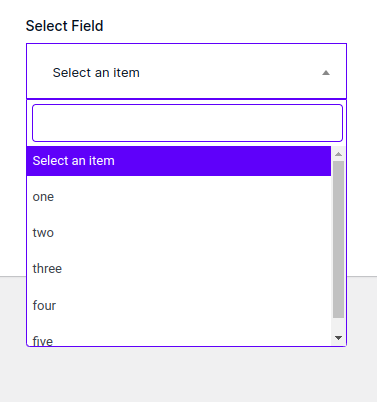
Specify the type as select inside the array key called type. Please note that you have to give the type otherwise you will get an error!
<?php // select field dropdown array( 'label' => esc_html__('TP Select Field', 'textdomain'), 'id' => "_your_id", 'type' => 'select', 'options' => array( '1' => 'one', '2' => 'two ', '3' => 'three ', '4' => 'four ', '5' => 'five ', ), 'placeholder' => 'Select an item', 'conditional' => array(), 'default' => '',
'multiple' => false,) ?>
Notice: Please note that the key field called ‘multiple’ will be always exist in the array otherwise you will get an warning!
Multi Select #
Specify a key called multiple and set it’s value to true or 1. it will be understand that the select is multiple.
<?php
// multi select field dropdown
array(

    'label'           => esc_html__('TP Select Field', 'textdomain'),
    'id'              => "_your_id",
    'type'            => 'select',
    'options'         => array(
        '1' => 'one',
        '2' => 'two ',
        '3' => 'three ',
        '4' => 'four ',
        '5' => 'five ',
    ),
    'placeholder'     => 'Select an item',
    'conditional' => array(),
    'default' => array(),
    'multiple' => true
)
?>
Multi Select Context #
Specify a key called ‘context’ you can set it either ‘normal’ or ‘select2’.
<?php // multi select field dropdown array( 'label' => esc_html__('TP Select Field', 'textdomain'), 'id' => "_your_id", 'type' => 'select', 'options' => array( '1' => 'one', '2' => 'two ', '3' => 'three ', '4' => 'four ', '5' => 'five ', ), 'placeholder' => 'Select an item', 'conditional' => array(), 'default' => array(),
'multiple' => true,'context' => 'normal' // or 'select2' ) ?>
How to fetch the data? #
Use our function called tpmeta_field(‘_your_id’) and pass the above array id key to fetch the metadata. Since the function tpmeta_field(‘_your_id’) will return the value so you have to echo the value.
<?php
$value = function_exists('tpmeta_field')? tpmeta_field('meta_key_id_here') : '';
echo esc_html($value);
?>
Multi select data? #
Use our function called tpmeta_field(‘_your_id’) and pass the above array id key to fetch the metadata. Since the function tpmeta_field(‘_your_id’) will return an array for the multi value.
<?php
$value = function_exists('tpmeta_field')? tpmeta_field('meta_key_id_here') : '';
print_r($value) or use loop;
?>


