logo
logo
logo
  • Home
  • Documentation
  • Support
Get PMF Free

Manual install from wordpess dashbaord

Getting Started

  • What is metafields?
  • Where to use it?
  • Some common use cases for metafields include
  • What about our plugin?

Installations

  • Automatic install from wordpress dashboard
  • Manual install from wordpess dashbaord
  • Install Using FTP

Configs

  • How to use or add?
  • How to print or display or fetch the data?
  • Usage

Fields

  • Text
  • Textarea
  • Switch
  • Tabs
  • Checkbox
  • Select
  • Image
  • Gallery
  • Datepicker
  • Colorpicker
  • Repeater

Go Pro

  • What is included in pro version?
  • Go Pro

FAQs

  • What is a meta box in WordPress?
  • Why do I need a meta box plugin?
  • Can I create multiple meta boxes?
  • Home
  • Docs
  • Installations
  • Manual install from wordpess dashbaord

Manual install from wordpess dashbaord

If your server is not connected to the Internet, then you can use this method-
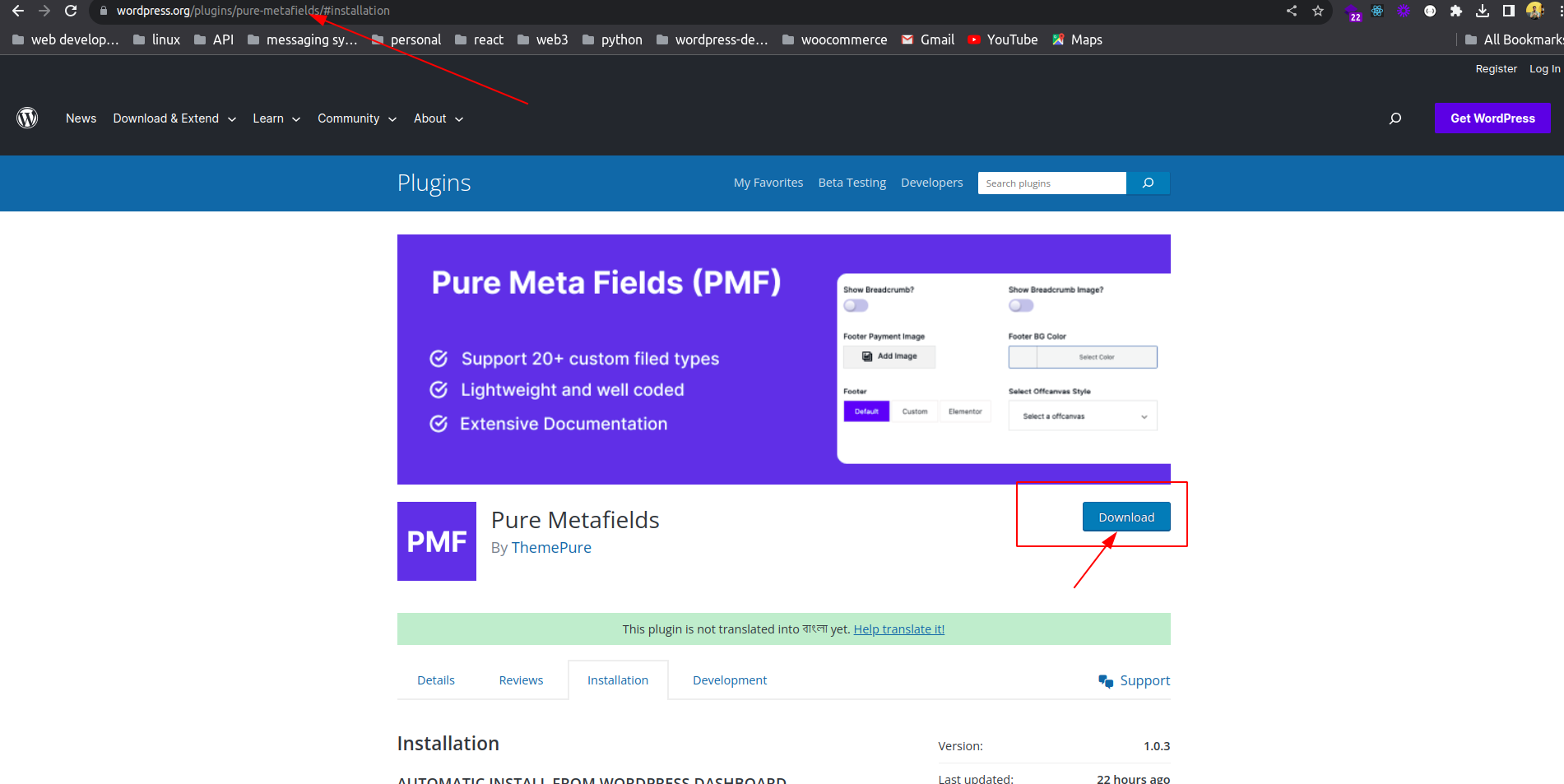
  1. Download the plugin by clicking on the red button above. A ZIP file will be downloaded.
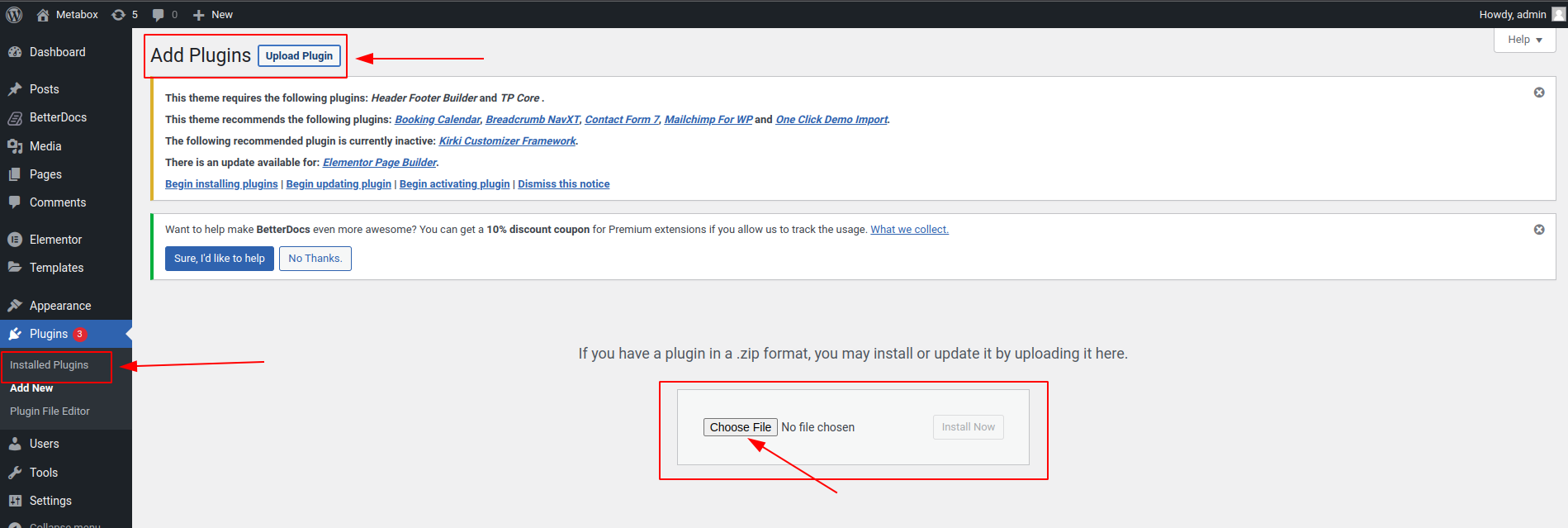
  2. Login to your site’s admin panel and navigate to Plugins -> Add New -> Upload.
  3. Click choose file, select the plugin file and click install

Download #

Upload The Plugin #

What are your Feelings
Share This Article :
  • Facebook
  • Twitter
  • LinkedIn
  • Pinterest
Still stuck? How can we help?

How can we help?

Updated on October 3, 2023
Automatic install from wordpress dashboardInstall Using FTP

Powered by BetterDocs

Leave a Reply Cancel reply

Your email address will not be published. Required fields are marked *

Table of Contents
  • Download
  • Upload The Plugin

Copyright © 2023 Pure Metafields. All Rights Reserved