logo
logo
logo
  • Home
  • Documentation
  • Support
Get PMF Free

How to use or add?

Getting Started

  • What is metafields?
  • Where to use it?
  • Some common use cases for metafields include
  • What about our plugin?

Installations

  • Automatic install from wordpress dashboard
  • Manual install from wordpess dashbaord
  • Install Using FTP

Configs

  • How to use or add?
  • How to print or display or fetch the data?
  • Usage

Fields

  • Text
  • Textarea
  • Switch
  • Tabs
  • Checkbox
  • Select
  • Image
  • Gallery
  • Datepicker
  • Colorpicker
  • Repeater

Go Pro

  • What is included in pro version?
  • Go Pro

FAQs

  • What is a meta box in WordPress?
  • Why do I need a meta box plugin?
  • Can I create multiple meta boxes?
  • Home
  • Docs
  • Configs
  • How to use or add?

How to use or add?

Paste the code to your theme’s root file functions.php or you can use it in your custom plugin’s starter file with the add_filter hook.

<?php
add_filter( 'tp_meta_boxes', 'themepure_metabox' );
function themepure_metabox( $meta_boxes ) {
    $meta_boxes[] = array(
        'metabox_id'       => '_your_id',
        'title'    => esc_html__( 'Your Metabox Title', 'textdomain' ),
        'post_type'=> 'post', // page, custom post type name
        'context'  => 'normal',
        'priority' => 'core',
        'fields'   => array(),
    );

    return $meta_boxes;
}

?>

Note: You must return multidimensional array otherwise you will get ERROR!

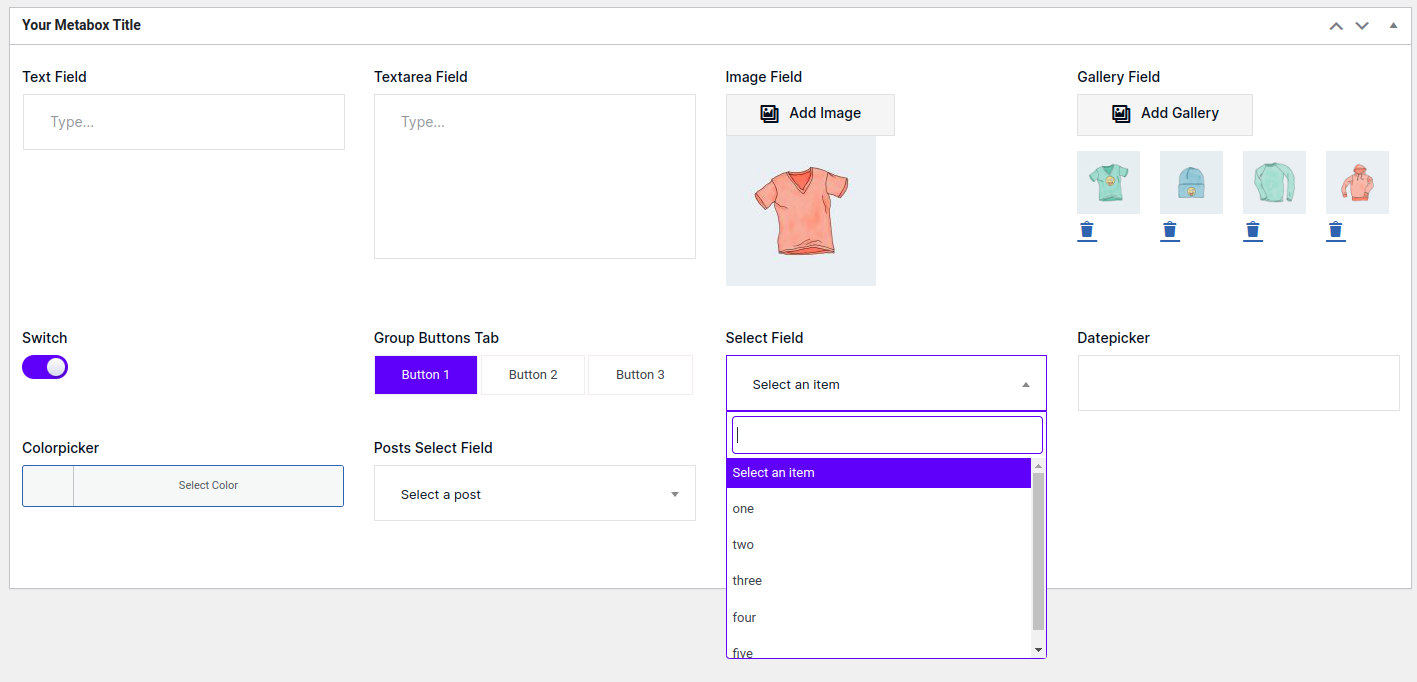
10 Most Popular Fields #

What are your Feelings
Share This Article :
  • Facebook
  • Twitter
  • LinkedIn
  • Pinterest
Still stuck? How can we help?

How can we help?

Updated on October 3, 2023
How to print or display or fetch the data?

Powered by BetterDocs

Leave a Reply Cancel reply

Your email address will not be published. Required fields are marked *

Table of Contents
  • 10 Most Popular Fields

Copyright © 2023 Pure Metafields. All Rights Reserved